Embed Forms and Contact Forms on Any Website in 2 Clicks
Easily embed a form or embed a contact form on your website without coding. Just copy and paste the embed code. Works with WordPress, Shopify, Webflow, Framer, and any CMS.
Embed Your Form Now – It’s Free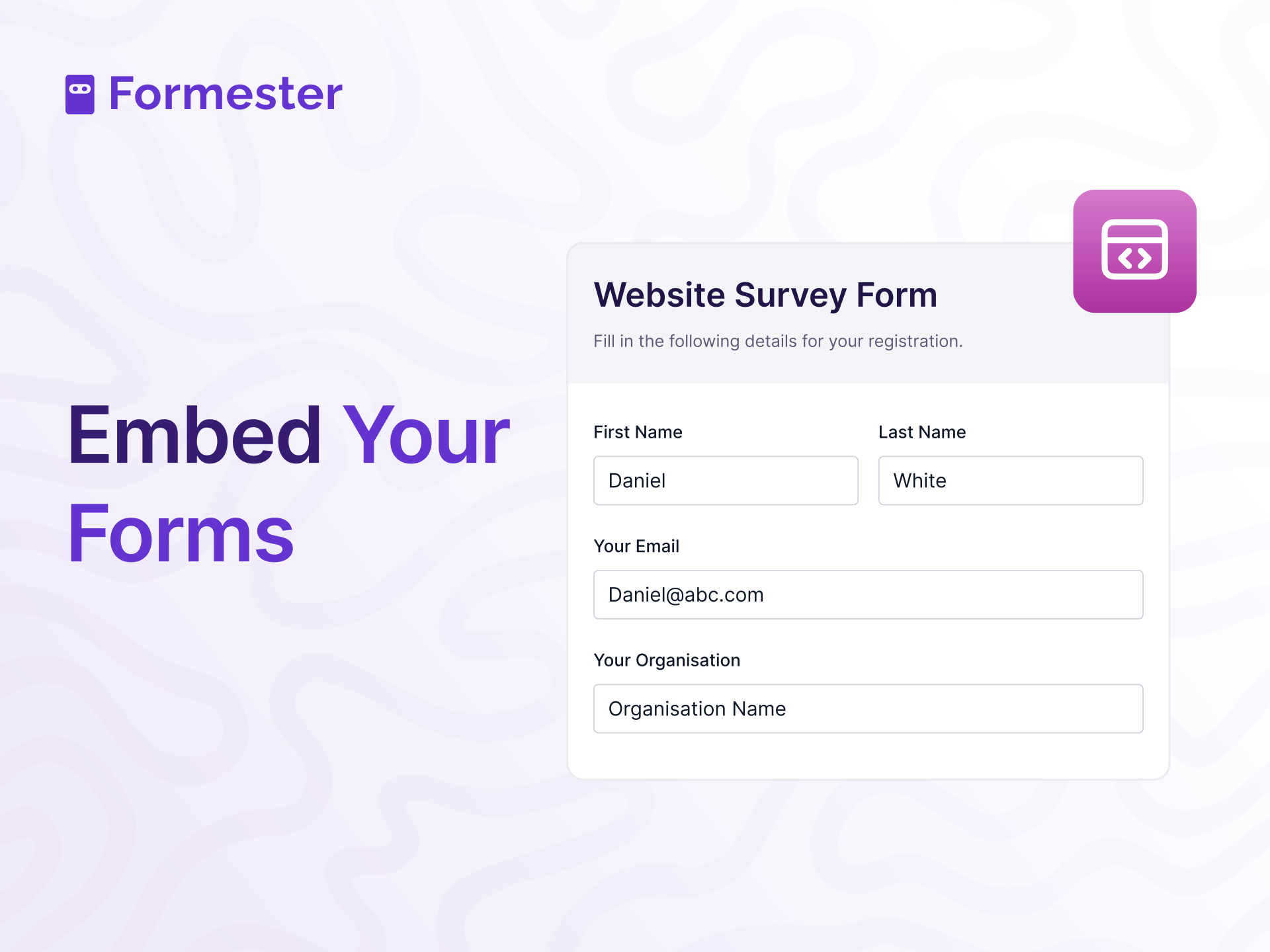










Trusted by 25,000+ Businesses Worldwide
Highly rated for ease of use, reliability, and seamless form embedding across websites and CMS platforms.






Why Embed a Form on Your Website?
Embedding a form on your website improves engagement, increases conversions, and makes data collection faster without redirecting users.

Increased User Engagement
Embed forms directly on your website to keep visitors on the same page. Users can fill out the form without leaving, creating a smoother experience and higher engagement.

Faster Data Collection
Collect responses instantly with embedded forms. Visitors submit information without redirects, reducing drop-offs and saving time.

Brand Consistency
Customize embedded forms to match your site’s design. Use CSS forms to be consistent and makes your site look more professional and trustworthy.

Higher Conversion Rates
Embedded forms are easier to complete, increasing sign-ups, inquiries, and sales compared to redirecting users to another page.

Easy Integration
Embedding a form takes minutes. Copy the embed code and paste it into your website without technical skills.

Mobile-Responsive Design
All embedded forms automatically adjust to mobile, tablet, and desktop screens for a seamless experience.
How to Embed a Form on Your Website
Follow these simple steps to create and embed a form on your website without coding.
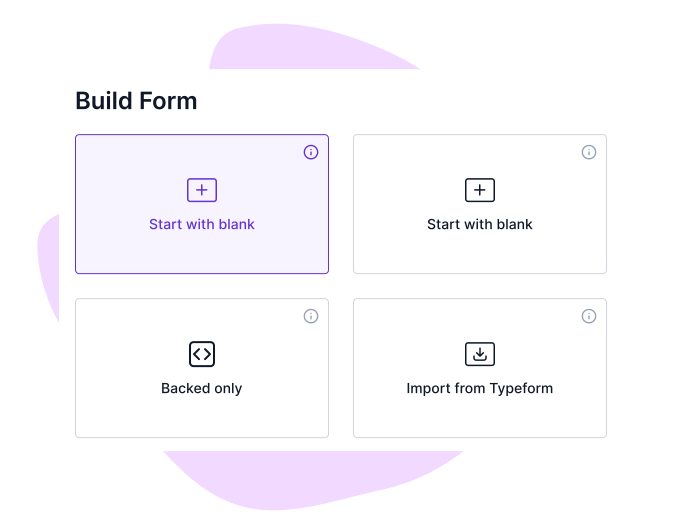
Step 1: Create Your Form
Start by designing your form using Formester’s drag-and-drop form builder. Customize it with the fields you need.
Step 2: Get the Embed Code
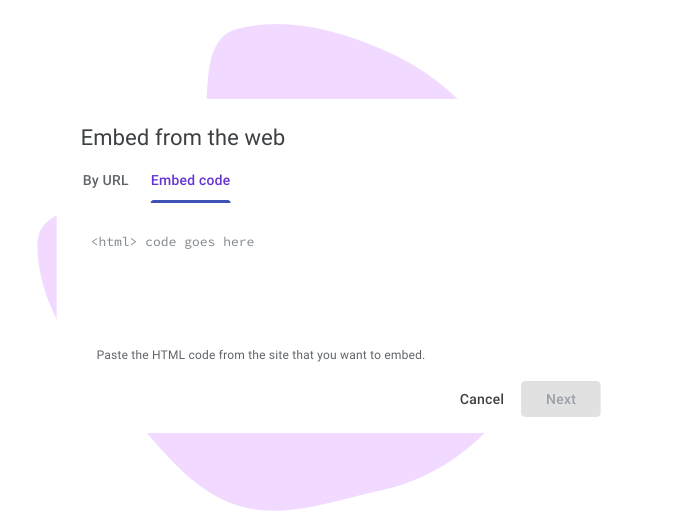
Once your form is ready, go to the Embed section in the form builder. Click on Get Code.

Step 3: Embed the Form on Your Website
Paste the embed code into the HTML of your website where you want the form to appear. You can also customize the form with Embed Mode and Auto Height.
Step 4: Preview and Adjust
After embedding, preview your website to make sure the form looks good. Adjust the placement or design if needed to match your website’s style.

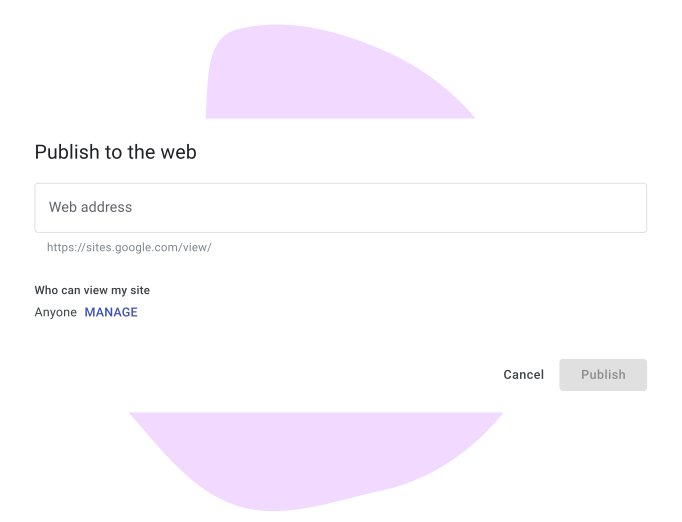
Step 5: Publish Your Website
Once everything looks perfect, publish your website. Your embedded forms will now be live and ready to capture data.
How Can Embedded Forms Help Your Business?
Here are some scenarios where the save and continue feature is especially helpful:
Contact Forms
Place a contact form on your website’s page so visitors can easily reach out without leaving the site. This keeps communication simple and convenient for your audience.

Newsletter Sign-Ups
Embed forms on your homepage or blog to get visitors to sign up for your newsletter. This helps you grow your email list and keep people updated with your latest news.

Event Registrations
Use embedded forms on your event page so users can register directly for events. This makes signing up easy and increases the number of participants.

Customer Feedback
Embed a survey form on your product pages to collect customer feedback. This helps you get insights directly from customers and improve your products based on their suggestions.

Lead Generation
Place a lead capture form on your landing pages to turn visitors into leads. Embedded forms make it easy for potential customers to give their info and connect with you.

Job Applications
Embed a job application form on your careers page so applicants can submit their details and resumes directly. This streamlines hiring and keeps all applications in one place.

Pre-Designed Templates
Get Started Quickly with Ready-Made Form Templates


Testimonials





Ready to build your perfect form?
Get access to advanced AI, unlimited forms & more. See pricing for more details.
FAQs
An embed form is a form placed directly inside a webpage using a small piece of HTML or script code. It allows visitors to fill out the form without being redirected to another page.
Create your form in Formester, click Embed, copy the embed code, and paste it into your website’s HTML where you want the form to appear. Publish the page, and the form will be live.
Build a contact form, generate the embed code, and paste it into your contact page. Visitors can submit inquiries without leaving your website.
Yes. You can customize colors, fonts, layout, and styling so the embedded form matches your website’s design and branding.
Yes. You can embed forms on WordPress, Shopify, Webflow, Framer, or any website that allows HTML or script insertion.
Yes. All embedded forms are fully responsive and automatically adjust to mobile, tablet, and desktop screens.