TrustedForm Certified Online Forms for Verified Lead Generation
Create certified online forms with TrustedForm to verify real user consent, improve lead quality, and stay compliant with TCPA and CASL regulations. Ideal for businesses that rely on trusted, high intent leads.
Create Certified Form for Free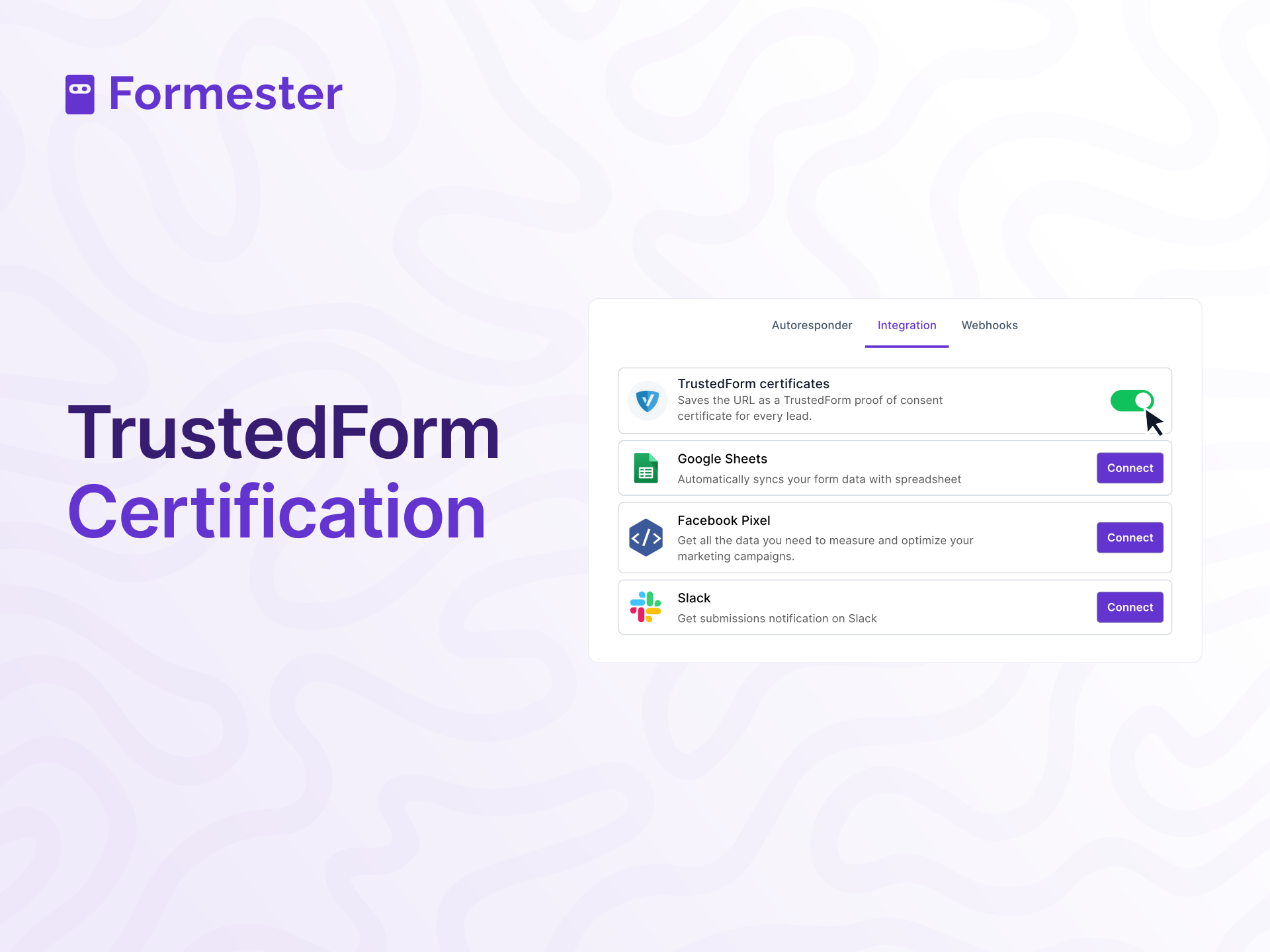










Trusted by 50,000+ Businesses for Secure Lead Collection
Join thousands of businesses that use Formester to create secure, high-converting online forms. From verified lead generation to compliant data collection, teams trust Formester to capture accurate and reliable submissions.






Why Use TrustedForm Certified Online Forms
TrustedForm certified forms help businesses verify real user consent, improve lead quality, and stay compliant with strict data regulations.

Proof of Consent
TrustedForm provides a certificate of consent with every lead. This certificate acts as proof that users willingly shared their information, helping you avoid fake leads and ensuring you stay compliant with data regulations.

Verified Lead Authenticity
Each form submission is accompanied by a TrustedForm certificate containing essential details such as the user's IP address, browser, and submission timestamp. This makes it easy to verify the authenticity of leads, ensuring you only follow up with legitimate contacts.

Compliance Assurance
With TrustedForm, you gain a tool to stay compliant with laws like TCPA and CASL. It helps you prove that users provided their contact information voluntarily, reducing the risk of legal issues related to improper data collection.
How to Enable TrustedForm Certification in Formester
Follow these simple steps to enable TrustedForm certification and collect verified, compliant leads from your online forms.
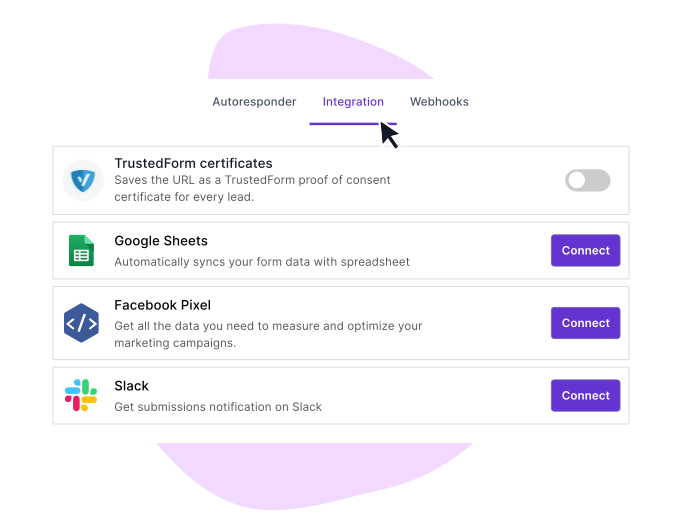
Step 1: Navigate to Integrations
Go to your form dashboard and click on the Integrations tab. Find TrustedForm in the integrations list and enable it for your form.
Step 2: Enable TrustedForm
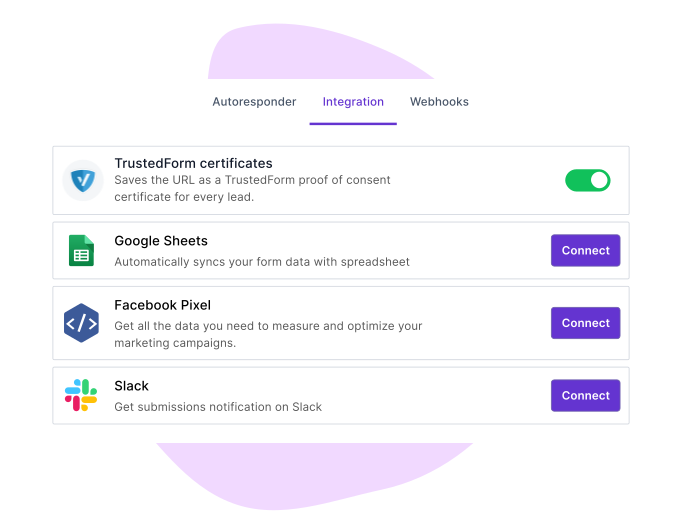
Toggle on the TrustedForm integration. This action will automatically add the TrustedForm script to your form.
Step 3: Capture Lead Details
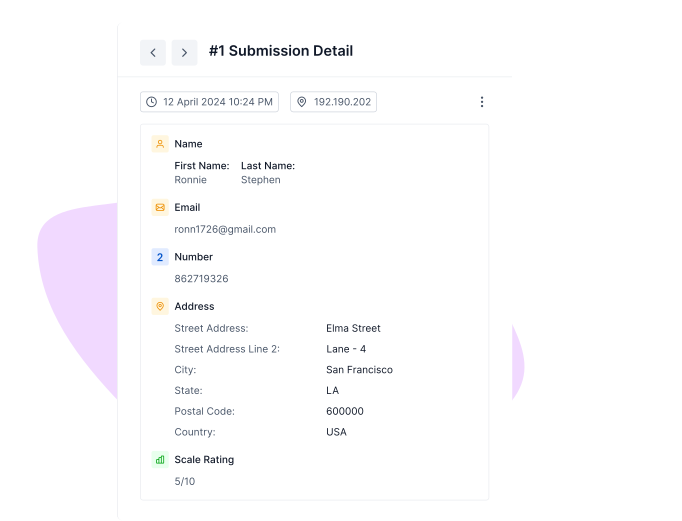
When a user submits a form, TrustedForm captures essential lead details such as their IP address, browser, and submission timestamp.
Step 4: Verify and Claim Leads
Use the certificate to confirm the authenticity of leads and ensure full compliance with relevant data protection laws.
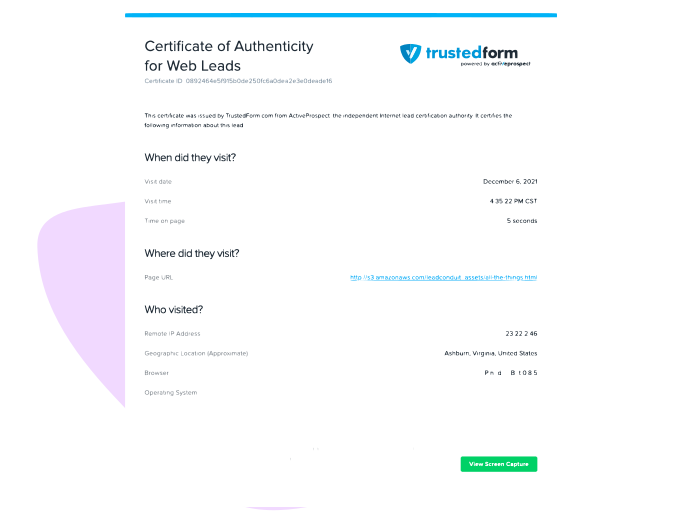
How TrustedForm Certificates Can Help?
Lead Generation
Capture high-quality leads with verified proof of consent. TrustedForm helps you build a more trustworthy and effective lead-generation process.

Marketing & Sales
Share lead certificates with your sales team to build trust with prospects. By offering verified proof of consent, you increase credibility, improving conversion rates and boosting sales.

Customer Support
Utilize TrustedForm’s data to gain deeper insights into how customers interact with your forms. This can help you optimize user experience and enhance customer support strategies.

Pre-Designed Templates
Get Started Quickly with Ready-Made Form Templates


Testimonials





Ready to build your perfect form?
Get access to advanced AI, unlimited forms & more. See pricing for more details.
Frequently Asked Questions
TrustedForm certificates capture real-time data, including user IP addresses, browsers, and timestamps, ensuring that every lead is verified. These details provide legally recognized proof of consent, making them highly reliable.
TrustedForm verifies each submission by generating a certificate with real-time data such as IP address, device, and submission time. This helps you confirm that every lead is genuine and submitted by a real user.
TrustedForm provides proof that users gave consent before submitting their information. This helps businesses meet compliance requirements for laws like TCPA and CASL and reduces legal risks related to lead collection.
You can enable TrustedForm from the integrations section inside your Formester dashboard. Once turned on, every form submission automatically receives a TrustedForm certificate without any coding or setup.
Yes. Each TrustedForm certificate acts as proof of consent and can be shared using a secure URL. This helps resolve disputes and protects your business if a lead questions their submission.
No. TrustedForm runs in the background and does not slow down your form. Users can submit forms normally while certification happens automatically.